OPLBend Tracker
A free OPL3 FM tracker firmware, with FX inspired by circuit bending, a drum machine and a looper, for the M-VAVE FM-1.Un firmware tracker FM OPL3 gratuit, avec des effets inspirés du circuit bending, une boîte à rythmes et un looper, pour le M-VAVE FM-1.
Install from the browserInstaller depuis le navigateur Send songsEnvoyer des morceaux Download (.fwsc)Télécharger (.fwsc) GitHub ♥ Donate
DemoDémo
ScreenshotsCaptures d'écran
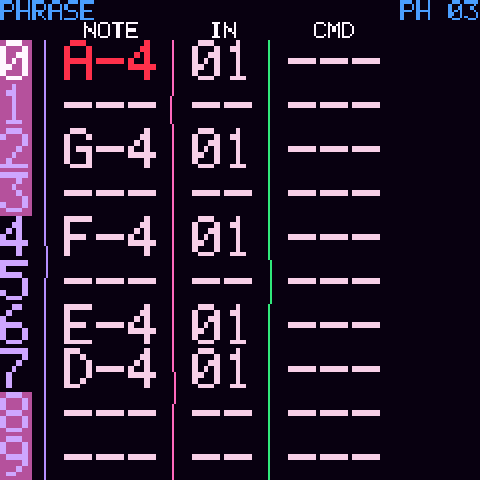
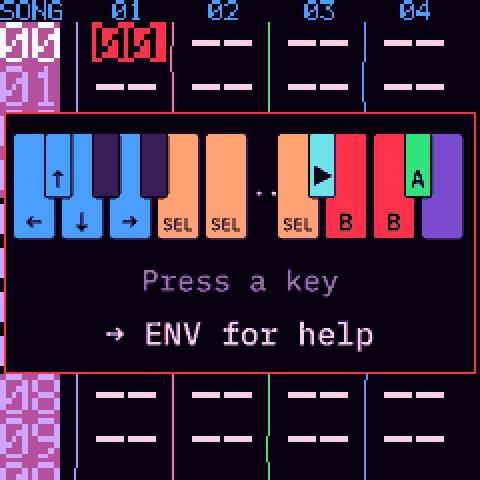
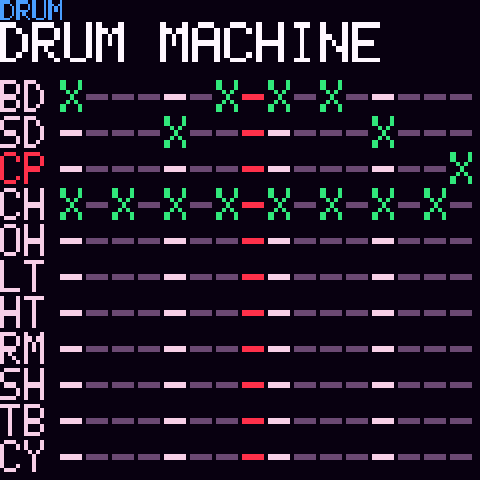
What it isCe que c'est
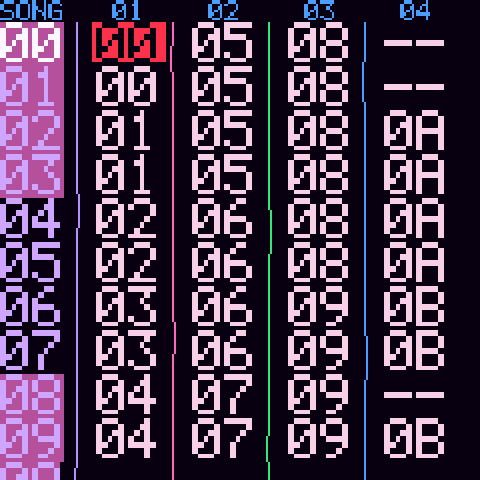
- An LSDJ-style tracker: SONG, CHAIN, PHRASE, INSTR, TABLE, PROJECT — driven from the FM-1's keyboard and knobs.
- A software OPL3 (YMF262) FM engine, 18 voices, with 2,103 instrument presets from AdLib Tracker II.
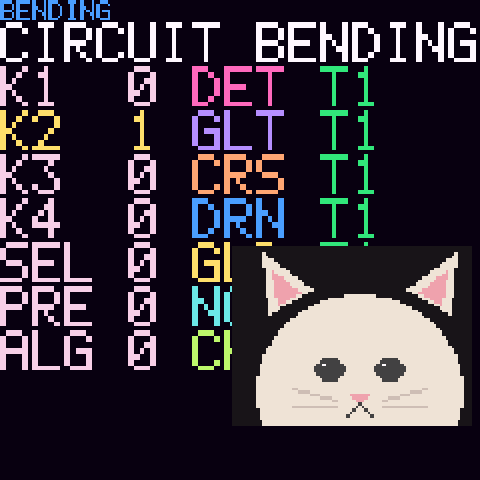
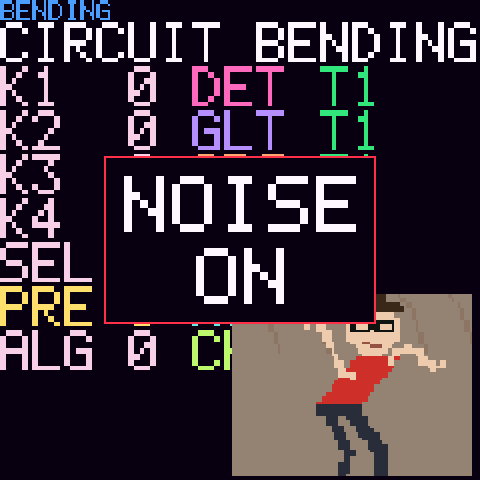
- FX inspired by circuit bending: virtual switches on the FM chip, track by track, and a chip clock you can bend (pitch and speed, like a slowed-down tape).
- GLITCH, MASTER FX (distortion, ring mod, phaser, flanger, delay, crush, filter) and KNOB GENERAL on all sounds at once.
- A drum machine, a drum keyboard (a drum on every key) and a looper with layers and polymeter.
- Opens and exports AdLib Tracker II .A2M songs, which also open in AMBER OPL Tracker and my other OPL3 trackers. USB audio: record it straight into your DAW.
- Help on the device: press ENV.
- Un tracker façon LSDJ : SONG, CHAIN, PHRASE, INSTR, TABLE, PROJECT — piloté avec le clavier et les molettes du FM-1.
- Un moteur FM OPL3 (YMF262) logiciel, 18 voix, avec les 2 103 presets d'instruments d'AdLib Tracker II.
- Des effets inspirés du circuit bending : des interrupteurs virtuels sur la puce FM, piste par piste, et l'horloge de la puce qu'on peut tordre (hauteur et vitesse, comme une cassette ralentie).
- GLITCH, MASTER FX (distorsion, ring mod, phaser, flanger, delay, crush, filtre) et KNOB GENERAL sur tous les sons à la fois.
- Une boîte à rythmes, un clavier de batterie (un son de batterie par touche) et un looper avec couches et polymétrie.
- Ouvre et exporte les morceaux .A2M d'AdLib Tracker II, qui s'ouvrent aussi dans AMBER OPL Tracker et mes autres trackers OPL3. Audio USB : enregistre-le directement dans ton logiciel.
- L'aide sur l'appareil : appuie sur ENV.
HelpAide
It works like LSDJ, M8 Tracker or Little Piggy Tracker. First press GLO to switch to D-PAD mode: the keys become arrows, A, B and SELECT, and the shortcuts below work. Press ENV for the help on the device.
Il s'utilise comme LSDJ, M8 Tracker ou Little Piggy Tracker. Appuie d'abord sur GLO pour passer en mode D-PAD : les touches deviennent croix, A, B et SELECT, et les raccourcis ci-dessous marchent. Appuie sur ENV pour l'aide sur l'appareil.
- SEL+UP: project · SEL+RIGHT / SEL+LEFT: song → chain → phrase → instrument → table · SEL+DOWN: drum machine
- A: insert · A, A: insert a new one · A+LEFT/RIGHT: value ±1 · A+UP/DOWN: value ±16 · A+B: delete
- SEL+B: select · B: copy · SEL+A: paste · SEL+B+A: deep clone · PLAY: play/stop
- SEL+HAUT : project · SEL+DROITE / SEL+GAUCHE : song → chain → phrase → instrument → table · SEL+BAS : boîte à rythmes
- A : insérer · A, A : en insérer un nouveau · A+GAUCHE/DROITE : valeur ±1 · A+HAUT/BAS : valeur ±16 · A+B : effacer
- SEL+B : sélectionner · B : copier · SEL+A : coller · SEL+B+A : clone profond · PLAY : lecture/arrêt
InstallInstaller
We recommend running the official firmware V15 on your FM-1 first. M-VAVE now ships V16, but FM-1 custom firmwares are generally installed over V15, and we cannot be sure that installing over V16 works: if yours has another version, the safest is to install the official V15 from M-VAVE Downloads first.Nous conseillons d'abord d'installer le firmware officiel V15 sur ton FM-1. M-VAVE propose maintenant la V16, mais les firmwares custom du FM-1 s'installent en général sur la V15, et nous ne pouvons pas garantir que l'installation marche depuis la V16 : si le tien a une autre version, le plus prudent est d'installer d'abord la V15 officielle depuis M-VAVE Downloads.
- Connect the FM-1 to your computer with a USB data cable (directly, no hub).
- Open the installer in Chrome or Edge, press Install, and allow MIDI access.
- Don't unplug it while writing. The installer can also take you back to the official V15.
Then send your .A2M or .OBT songs to the FM-1 from the song transfer page (Chrome or Edge), and copy the FM-1's songs back to your computer.
- Branche le FM-1 à ton ordinateur avec un câble USB de données (directement, sans hub).
- Ouvre l'installateur dans Chrome ou Edge, appuie sur Installer et autorise l'accès MIDI.
- Ne débranche pas pendant l'écriture. L'installateur peut aussi te ramener à la V15 officielle.
Ensuite, envoie tes morceaux .A2M ou .OBT au FM-1 depuis la page de transfert (Chrome ou Edge), et récupère sur ton ordinateur les morceaux du FM-1.
Free and open source, at your own risk: the author accepts no responsibility if your FM-1 is damaged or misbehaves because of this custom firmware.Gratuit et libre, à tes risques : l'auteur décline toute responsabilité si ton FM-1 est endommagé ou se comporte mal à cause de ce firmware custom.
.A2M: one song, many trackers.A2M : un morceau, plusieurs trackers
The .A2M format was created by AdLib Tracker II. A song made on OPLBend Tracker exports to .A2M, so it opens in AdLib Tracker II (DOS, or DOSBox on a computer) and in my other OPL3 trackers — on a real OPL3 chip too.
Le format .A2M a été créé par AdLib Tracker II. Un morceau fait sur OPLBend Tracker s'exporte en .A2M : il s'ouvre dans AdLib Tracker II (sous DOS, ou dans DOSBox sur ordinateur) et dans mes autres trackers OPL3 — sur une vraie puce OPL3 aussi.
My other trackersMes autres trackers
OPL3OPL3 — all of them read .A2M songs— tous lisent les morceaux .A2M
FM, but not OPL3FM, mais pas OPL3 — the Sega Mega Drive's YM2612, open source— la YM2612 de la Sega Mega Drive, en open source
Other trackersAutres trackers
SupportSoutenir
OPLBend Tracker is free. If you'd like to support its development, you can make a donation on Ko-fi (a donation website, no account needed), or buy my music on Bandcamp: I am also a musician, under the name Maz Hoot. Thank you!
OPLBend Tracker est gratuit. Si tu veux soutenir son développement, tu peux faire un don sur Ko-fi (un site de dons, sans créer de compte), ou acheter ma musique sur Bandcamp : je suis aussi musicien, sous le nom de Maz Hoot. Merci !
Credits & licencesCrédits et licences
OPLBend Tracker by Audren. GPL-3.0, source on GitHub. Built on Felucca by Leo Kuroshita (@kurogedelic), Hügelton Instruments (hardware layer, loader, installer; GPL-3.0). The looper's recording is adapted from SLOOP by isod89 (GPL-3.0). The .A2M format and the instrument presets come from AdLib Tracker II. The firmware package holds three JieLi AC79 SDK files (JieLi Technology, Apache-2.0). Font: IBM Plex Mono (SIL OFL 1.1). All licences. M-VAVE and FM-1 are trademarks of their respective owners; this firmware is not affiliated with M-VAVE.